

.env.example listing what credentials it needs. When you attach a skill to an agent, those files land in the agent’s workspace and the agent can use them.
There are two views to keep separate in your head:
- The Skills Library in the sidebar — the catalog of skills installed in your account. This includes the ones Pinata publishes and any you’ve added from the community or your own folder.
- A specific agent’s Skills tab — which subset of the library is actually attached to this agent. Installing a skill in the Library doesn’t attach it; attachment happens per-agent.
Find a skill
Open the Skills Library in the sidebar. Two tabs at the top:- All | Installed — skills already in your library
- Browse ClawHub — the community catalog
@pinata/api) carry a verified badge and show up in both tabs.
Skills Pinata maintains
@pinata/api— store and retrieve files on IPFS, use gateways, run vector searches, sign x402 payments@pinata/erc-8004— register your agent on-chain and verify other agents (ERC-8004)@pinata/memory-salience— let your agent remember what matters across conversations@pinata/paraspace— organize the workspace with the PARA method@pinata/sqlite-sync— a SQLite database with automatic Pinata backup and CID-chained history@pinata/platform— the agent can call back into the platform (install skills, set secrets, manage tasks) without ever seeing your Pinata JWT. Bundled by default.
Install a skill
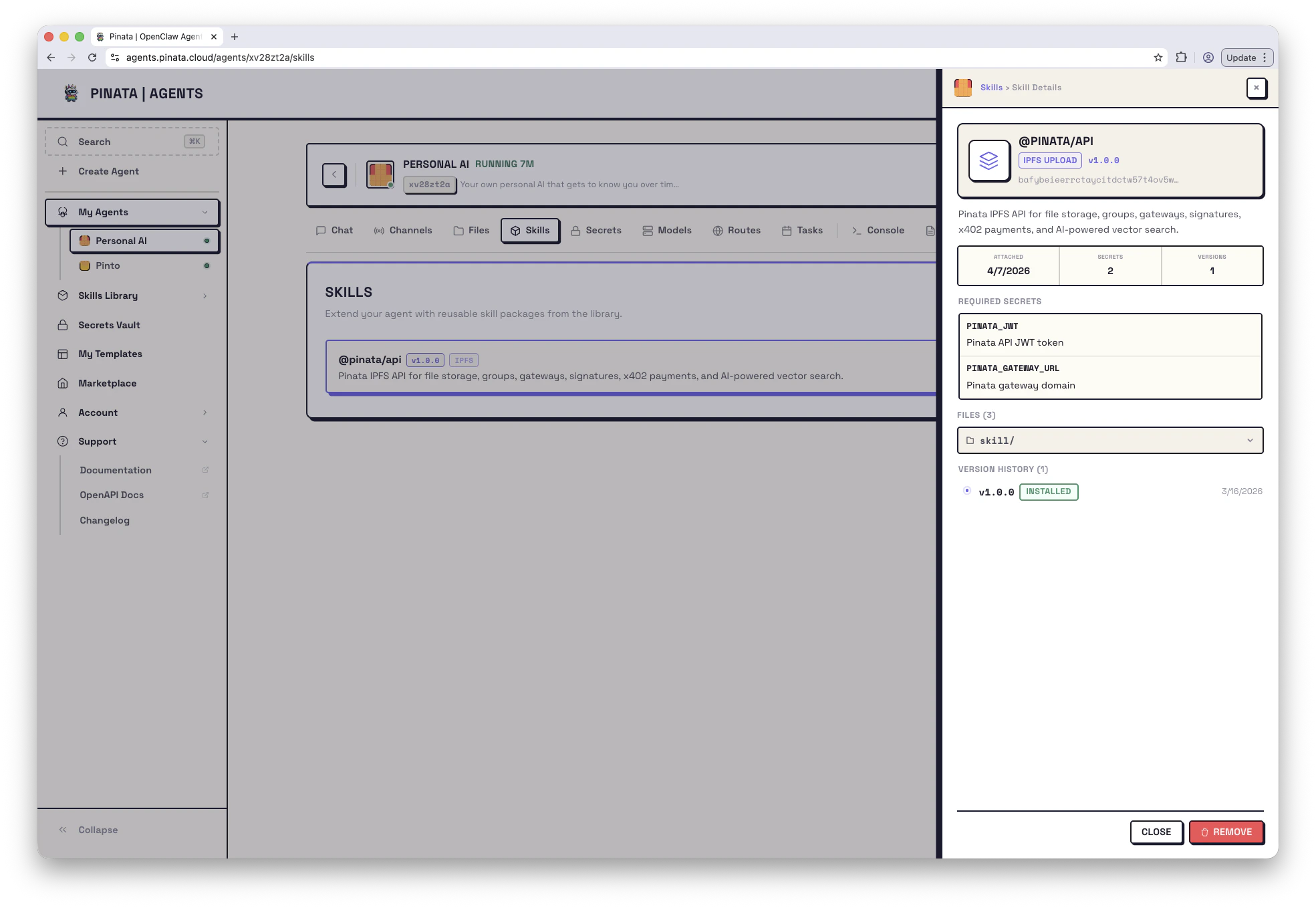
Click a card to see its description, files, and required env vars. Install adds it to your library. From there, you can attach it to as many agents as you like. Installing alone doesn’t change anything about your running agents — you still need to attach it.Attach a skill to an agent
- When creating a new agent: step 2 of the wizard lets you pick skills from your library.
- For an existing agent: open the agent → Skills → + ADD and pick from your library.
workspace/skills/<skill-name>/. The agent reads from there.
If the skill declares required env vars in a .env.example, the Skills tab flags any that aren’t set on the agent. Add the missing values in the Secrets Vault and attach them, then restart the gateway.
Slugs vs CIDs
Anywhere you reference a skill — in the CLI, inmanifest.json, in API calls — you have two ways to identify it:
- ClawHub slug (
@pinata/api) — always resolves to the latest published version. Easiest for templates and shared configs. - IPFS CID (
bafybeicglyjdb6w...) — pins one specific version. Use when you want byte-stable behavior or you’re using a self-hosted skill not on ClawHub.
manifest.json each skill is an object with name plus either clawhub_slug or cid:
Versions and updates
Skills follow semver. Each card shows the current version (v1.0.0, etc.).
- Update — if a newer version exists, the Skills tab will show an update available. Update from there. For ClawHub skills, this pulls the latest published version.
- Roll back — open a skill’s version history and pick an earlier version. Internally that re-pins to that version’s CID.
GET /v0/agents/{agentId}/skills/updates.
Publishing your own
Have something useful? Package it as a skill.- Put your files in a folder
- Add a
SKILL.mdwith YAML frontmatter — at minimum,nameanddescription - Optional: a
.env.exampledeclaring required env vars (the UI will read this and flag missing values when someone attaches it)
Skill folders are pinned to public IPFS. Don’t include secrets or anything you wouldn’t paste into a Gist.
From the CLI
Limits
- Up to 10 skills attached per agent
- Skill names: letters, numbers, hyphens, underscores
- Folder size limits follow Pinata’s IPFS upload limits